From kitchen updates to the guest’s screen

Restaurant Website Design for Menus, Locations, and Table Requests

Restaurant website design should show guests the current menu for the right location. After requesting a table, they should know whether their request has been received or their reservation is confirmed. HazırSoft builds restaurant and cafe websites, QR menus, and reservation workflows that preserve these distinctions. Online ordering and automatic capacity management are scoped separately when needed.

  • Updated menus behind a permanent QR address
  • Portion sizes, ingredients, and allergen information
  • Location-specific prices and product availability
  • Separate request acknowledgment and confirmed table status
  • Service hours and special-date calendars
  • Language versions reviewed by the kitchen team
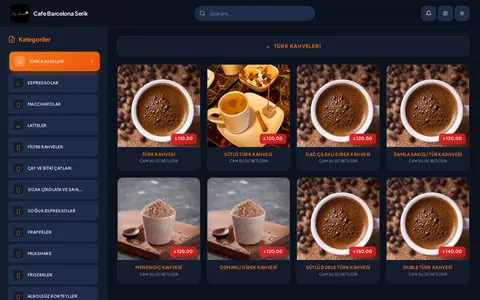
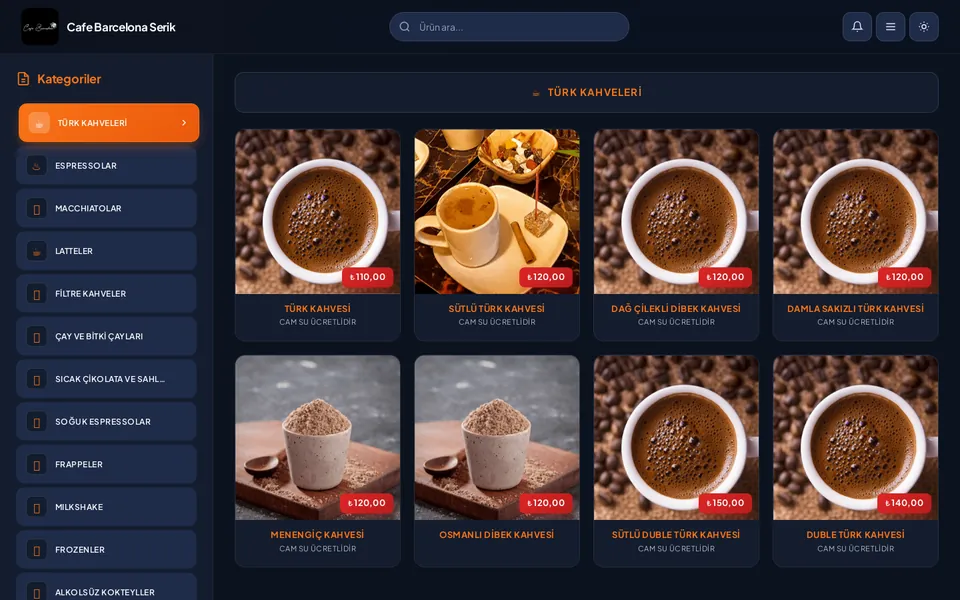
cafebarcelonaserik.com.tr
Cafe Barcelona Serik — QR digital menu
Our live project Cafe Barcelona Serik · Cafes & Restaurants

Industry-specific modules

Menu Publishing That Fits Daily Service

A price change, a sold-out dish, and a revised recipe are different updates. The dashboard handles them separately. Central teams can maintain shared descriptions while each location selects its available dishes, and kitchen staff verify allergen information. Guests see readable menus and practical business details without unnecessary account creation or app downloads.

Structured Menu Entries

Dish names, descriptions, portions, and prices use separate fields. Allergen information appears as accessible text, not inside an image. Kitchen staff review it after recipe changes. Dietary descriptions remain limited to what your business can substantiate.

Permanent QR Menu Links

Printed codes point to a stable menu address so product updates do not require reprinting. Location or table identifiers have explicit destinations. Ordering and table billing require separately developed workflows beyond opening a QR menu.

Table Requests and Confirmation

Date, time, and party size create a request for staff review. A request-received screen acknowledges submission; staff confirmation is a separate step. Seating areas, events, and high-chair options are included only where the business can actually manage them.

Location-Specific Service Information

Breakfast, kitchen, and takeaway hours can be shown separately from opening hours. Special dates override regular schedules. Accessible entry, parking, and directions use verified local information rather than another location’s details.

Ordering Channel Options

Links to an external ordering page, API integrations, and an in-house ordering system are different solutions. Delivery areas and service times are explained before accepting an order. Payments and kitchen displays require their own workflow and integration scope.

Central and Location Permissions

Central staff can retain shared product descriptions while local teams update prices and daily availability. Reservation staff see only necessary guest information. Staff changes are handled through individual access accounts rather than shared logins.

Menu Language Versions

Local dish names can be retained with explanations for international guests. Portions, options, and allergens are not lost in translation. Approved wording replaces automatically generated safety information, and missing language versions are handled explicitly.

Photography of Your Actual Dishes

Food and interior images serve different purposes. Representative portion images can be labeled; another restaurant’s photography is not presented as your dish. Mobile-sized images are prepared, while names and descriptions remain usable without photographs.

Align Search Information with Each Location’s Service

Service hours matter as much as addresses and phone numbers. A restaurant can be open after its kitchen has closed, while takeaway may have a different schedule. Location pages explain these distinctions and identify who maintains special-date changes. Menu links and directions lead to the right location. Embedded maps are optional: data transfers and cookies inform the choice between an external link and an appropriately permitted map. Accessibility information is not guessed. Your business verifies conflicting hours between its Google Business Profile and website before launch.

Search planning follows the actual cuisine, menu, and location scope. Each real location keeps its own service details rather than generating identical neighborhood pages. Structured data does not add hidden price ranges or unsupported service claims. SEO services can examine menu views, location journeys, and reservation requests without promising rankings or full tables. Phone numbers and personal requests are not sent to measurement tools. Menu interactions use events independent of personal details, with advertising and analytics subject to the applicable permission requirements.

Bring Kitchen, Service, and Publishing Teams into the Plan

  1. Menu inventory: Identify categories, portions, options, and location differences. Link alternate spellings to shared product records.
  2. Content verification: Kitchen staff check descriptions and allergens. Cross-contact wording reflects actual preparation conditions; software does not replace food-safety advice.
  3. Service model: Agree who confirms table requests, available times, and how events differ from regular dining.
  4. Dashboard design: Separate central products from local prices. Agree update permissions and any prepublication review.
  5. Sample menu review: Evaluate long dish names, price changes, sold-out products, missing photographs, and different languages.
  6. Publishing handover: Agree permanent QR destinations, domain management, and menu owners. Include correct location routing in the handover checklist.

Delivery takes place under a written contract with invoices, source code handover, and dashboard instructions. One year of technical support covers the agreed QR routing and menu functions. New ordering, payment, or kitchen-production modules are separate development, not assumed features of a basic menu website.

Scoping a QR Menu Versus an Ordering System

A single-location menu and table-request website differs from a centrally managed multi-location catalog. Product options matter before raw item count: a fixed-price dish, portion alternatives, and extra ingredients need different fields. Content planning depends on who approves descriptions and allergens as well as language count. Without POS integration documentation, synchronization is not listed as if it already exists. An external ordering link may be simpler; an in-house system needs delivery limits, kitchen acceptance, payments, and cancellation events. Photograph preparation and converting old PDF content into structured entries are separated from development.

Use the quote form to tell us how many locations you have, who updates menus, and how table requests are approved. We review daily dashboard use through a sample category before applying the structure elsewhere. Event inquiries or special orders can be scoped within the relevant services; payment systems are not automatically proposed for every restaurant. Your business remains responsible for current prices, allergens, and commercial terms. Software supports orderly publishing but does not itself establish food safety or legal compliance.

Portfolio

Live projects in this industry

These websites are live. Visit them to explore the work.

All project references

FAQs

Restaurants & Cafes — frequently asked questions

Can’t find your question?Let's clarify your needsSend us a message

Do menu changes require new QR codes?

Not when the code uses a permanent menu address. Domain or location changes need a routing plan. Printed-code readability, contrast, and destination should be checked in the restaurant, not just in an on-screen example.

Can locations share a menu but use different prices?

Shared product names and descriptions can have location-specific prices and availability. Guests clearly see which menu they are viewing. Dashboard ownership prevents central changes from accidentally overwriting local prices.

Can allergen information be generated automatically?

It should not be inferred from a dish name or photograph. Kitchen staff assess recipes, supplier information, and preparation conditions. The software presents approved information in structured fields, with responsibility for reviewing wording and translations when recipes change.

Is a table confirmed when a request is submitted?

In a staff-approved workflow, submission only acknowledges receipt. Confirmation has a separate message or status. Automatic booking needs table, seating-interval, and cancellation rules. Email or WhatsApp alone does not provide capacity control.

Can a QR code send the table number with an order?

A table identifier can be included in its destination, but order acceptance is a separate workflow. Table verification, off-site requests, and kitchen acceptance need assessment. A menu-only project with table codes does not include payments or bill integration by implication.

What do we approve when moving from a PDF menu?

You review category order, names, portions, current prices, and allergen wording using a sample migration. Old prices and poor-quality images are not automatically treated as current. Image rights and missing content are resolved before the category is published.

Get a quote

Let's Discuss Your Project

Let's clarify your needs

Message us on WhatsApp