
Ecommerce Website Development: A Sales-Ready Foundation
Define your online store’s products, orders, and returns from the outset.
Web design and interface development
Web design begins with the questions visitors ask: what helps them evaluate your product, where does the mobile menu lead, and when do they give up? HazırSoft creates readable layouts for content-rich websites, storefronts, and transactional screens. We turn design decisions into working components. A redesign goes beyond a new color palette: we review information hierarchy, navigation, and loading costs. You approve a system that works across real content and devices, not just one attractive screen. We develop and deliver interfaces remotely for projects across Turkey and those targeting the UK, US, or EU markets. Screen-sharing sessions in English or Turkish let us review the navigation prototype and agree on development decisions for the web application.
Service scope
We organize your company story into services, supporting evidence, and inquiry pages so visitors know which question each section answers.
Explore this pageWe design product cards, variant selection, and the cart together. Together with your team, we agree when prices and delivery information appear before development.
Explore this pageTogether with your team, we define buttons, tables, filters, and error states as well as colors. The interface system extends beyond the homepage.
View detailsWe align menu labels, content headings, and link text so information prepared for search also makes sense to people.
View detailsWe review how large hero images, fonts, and third-party scripts load. We assess visual impact alongside download costs.
View detailsWe identify blocked user journeys and carry useful content and URLs into the new layout.
View detailsTogether with your team, we plan for longer translations, different writing systems, and missing language versions. Language switching should preserve page context.
We design loading, error, permission, and success states so backend functions give people useful feedback.
Explore this pageTogether with your team, we define hosting, version compatibility, and recovery separately from design. Interface changes should not obscure operational responsibilities.
A brief built only around a logo, colors, and favorite websites leaves important requirements to emerge during development. First define why people visit: to compare a technical feature, assess a service, or complete a transaction. For each journey, record the starting page, necessary information, and next step. This gives the project a firmer foundation than trying to put every service on the homepage.
We separate ready-to-use copy from missing images, outdated documents, and internal terminology. Draft screens need realistic heading lengths: cards that look balanced with short placeholder text can overflow with actual content. The inventory also informs the page model:
This distinction affects the budget. Content pages sharing a layout and transactional screens with different behaviors are not equivalent workloads. A list of screen states, alongside the page list, helps reveal design gaps early.
Interface quality is demonstrated across content and interaction states. The layout still needs to work with long headings, slow connections, and visitors who cannot use a mouse. We consider component boundaries, not just ideal content.
Small-screen layouts require their own information priorities. We reconsider what people read first, how the menu opens, and how fixed buttons relate to the content. Wide tables may need a scroll cue or a suitable summary. Touch targets need separation: cookie notices, support controls, and form buttons should not overlap. Reserving image space also reduces text movement during loading.
Button labels should describe the action. Download links and form submissions need distinct labels. Required fields, formatting guidance, and errors belong near the relevant input. Success needs more than a color change: people should see that their request was received. Measurement should distinguish a completed submission from a button click.
Heading order, descriptive links, and visible focus are functional foundations. Menus should support keyboard use, and icons may need text alternatives. Contrast reviews include disabled controls, errors, and selected tabs, not just the brand color on white. Accessibility targets are defined in the scope; certification is not promised in advance.
A search-friendly page relies on clear information, not long copy hidden from visitors. We review headings, menu depth, and card links together. Important services should not exist only as text inside an image, or behind an unexplained icon.
These deliverables establish a technical foundation. Topic expansion, competing search results, and ongoing query monitoring belong to SEO services. A design delivery should not promise a particular position for a query. Ease of finding information and search visibility need separate evaluation.
You may like a theme, but the real question is whether it fits your content. Custom design is not automatically faster or less expensive. We consider screen behavior, editorial needs, and the technology your team will maintain. Reusable buttons and cards are standardized; your brand-specific hierarchy is built from those components.
| Decision | Theme approach | Custom interface |
|---|---|---|
| Content layout | Adapt content to existing slots | Plan around actual content types |
| Loading cost | Review unused packages | Track each component requirement |
| Search fields | Check editing capabilities | Define alongside the page model |
| New screens | Maintain compatibility with theme updates | Follow shared component rules |
| Initial work | Assess adaptation and license terms | Estimate design and implementation separately |
Our goal is to define the screens you need, not rename a template. We can complete the core journeys first and schedule secondary pages using the same component family. When reviewing our project examples, explore menus, long content, and mobile layouts. Menus, content, and interactions reveal the scope beyond a homepage image.
Before redesigning, identify what already works. Pages that generate inquiries, frequently downloaded files, and URLs with external links should not disappear. We review complaints alongside available analytics. Where measurement is missing, observations are not presented as verified findings.
The URL map records each old address, its replacement, and the migration decision. Sending every old page to the homepage is not a meaningful mapping. Together with your team, we define backups and rollback before launch, then monitor critical journeys and crawling afterward. This reduces migration risk; it does not guarantee that visibility will remain unchanged.
Page count alone is not enough to compare proposals. Ask which states are included for homepages, filtered lists, and detail pages. Empty searches, missing product images, and invalid form entries may also be part of the design. We agree with you when revisions are collected and how content changes after approval will be handled.
Our web design delivery includes source code handover and access credentials. We work under a written contract with invoices. The written scope defines one year of post-launch technical support, distinguishing bug fixes from new design requests. This handover arrangement reduces your dependence on a single vendor; third-party licenses remain subject to their own terms.
Meetings take place remotely in English or Turkish. For collaboration across Turkey and internationally, we use online screen presentations and recorded decisions, with review responsibilities and meeting arrangements agreed in the project scope. Explore our industry solutions when preparing sector-specific content.
Our process
Content readiness and screen variety matter more than page count. Each phase has a reviewable output. Approving a design and accepting a working screen are separate decisions, so visual preferences do not become new requirements during development.
We record where visitors start and what they want to complete. We gather examples of existing problems and agree when copy and images will be available.
We classify lists, detail pages, forms, and transactional screens. We specify empty, loading, and error states, and make dependencies visible in the schedule.
We demonstrate core mobile and desktop journeys. We collect feedback around readability and task completion rather than personal preferences, and record decisions.
We turn approved layouts into reusable interface components. We connect editorial fields to the real content model and handle dynamic text length and formatting.
Replace placeholders, check navigation and forms, and review image sizing, keyboard focus, and screen widths before agreeing to launch.
We explain image ratios, heading lengths, and linking rules. We include component usage notes in the handover so later edits preserve the layout.
Pricing
We estimate content volume separately from distinct screen behaviors. Many articles using one template can require less design work than a few complex transactional screens. Discovery separates these workloads:
Content pages, filtered lists, and transactional screens have different design needs. Repeated records using one component are separate from new behaviors.
Custom icons, motion, and advanced navigation require design and implementation work. Reduced-motion and small-screen behavior are included in the assessment.
Variants, cart options, and delivery choices affect scope. Redirecting to a payment provider and completing payment on-site have different interface requirements.
Bookings, accounts, and searches need loading, empty, and error states. API response formats may create development dependencies.
Longer copy and different writing directions require layout checks. Providing translations and adapting them to the interface are separate responsibilities.
Editing copy and cropping images differ from placing finished content. Search research or new content production is defined as its own work item.
Adapting hosting, migrating to a new environment, and planning recovery are assessed separately from design. Ongoing operational ownership is explicit.
For a firm quote: If the scope needs to be smaller, we can launch critical journeys first and schedule secondary screens separately. Initial delivery and later development are itemized, including design files, content entry, and hosting responsibilities. Compare the screen list, not just the total price.
Get a Free QuotePortfolio
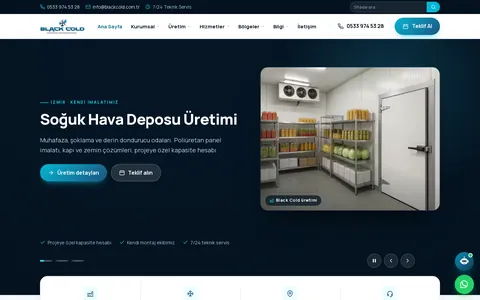
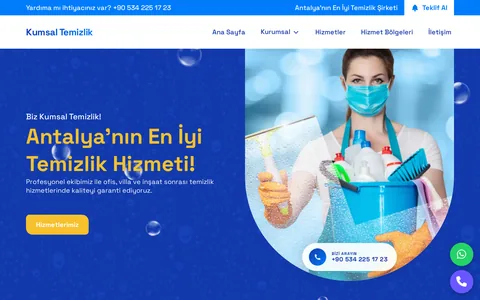
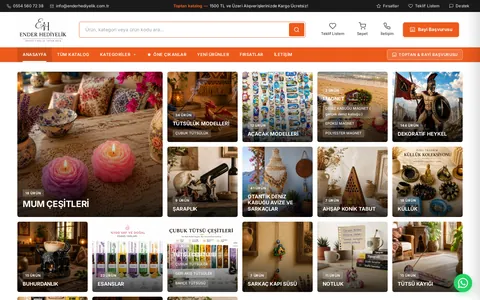
These websites are live. Visit them to explore the work yourself.
All project referencesFAQs
Yes. We include small-screen layouts for the main journeys, showing menus, forms, and content order rather than a scaled-down desktop design. Component behavior across width ranges is defined instead of drawing every possible device size.
Defining content limits early reduces that risk. The design system specifies card heights, text wrapping, and layouts without images. Review key screens using real headings; changes to the content model may require another interface review.
We first review PHP, database, storage, and deployment requirements. A visible static interface does not prove all application functions will work. Any hosting adaptation or migration is explained as a separate technical item.
Cover, card, and inline images may need different ratios. We explain expected dimensions and cropping at handover. Keeping headings in separate text fields instead of embedding them in images helps mobile readability and future translation.
Yes, but it is not the same as revising a draft. Changing approved components may affect other screens. We assess whether the current system can support the request and explain any additional design and implementation scope first.
We consider keyboard use for menus, buttons, and forms, including focus order and visibility. If you require a particular accessibility standard or independent audit, acceptance criteria must be agreed separately.
A product card does not create a purchasing journey. Variant selection, cart, delivery, and payment introduce new screens. We identify reusable components and assess new functions under ecommerce development.
Alongside the application, we explain installation, dependencies, and component rules. Image and paid third-party licenses are identified separately. Another team should not have to reconstruct the system from screenshots.
Think it through with us
Websites that organize product information, company credentials, and inquiries for the right team.
View detailsOnline stores with consistent business rules from catalog browsing to returns.
View detailsSEO that considers crawling, search intent, and conversion data together.
View detailsBlog
Define your online store’s products, orders, and returns from the outset.
Compare sales channels by contribution margin, customer relationships, and inventory.
Make data flows between payments, warehouses, and shipping traceable.
Get a quote
Let's clarify your needs