

Ecommerce Website Development: A Sales-Ready Foundation
Define your online store’s products, orders, and returns from the outset.
Websites for companies
Business website development should help a buyer find technical documents, a potential distributor understand your terms, and a candidate locate open roles. We meet these different needs without forcing them into one generic company introduction. We separate products, services, and company records into content types and design inquiry routes to the right person. Your team gets a publishing structure for keeping approved information current, while visitors see the details they need to make a decision. Alongside businesses operating across Turkey, we can address software requirements remotely for companies planning business websites or B2B portals for Germany, Austria, and Switzerland. Meetings in English or Turkish use sample catalogs to guide decisions; content approval and handover of the admin screens take place online.
Service scope
We organize your activities around customer questions rather than slogans, with clearly separated service scopes.
View detailsWe connect specifications, applications, and downloads to each product so people requesting a quote do not need to describe the model again.
View detailsWe create a shared glossary for product names and technical terms. An approved inventory determines pages and documents for each language.
View detailsGive editors access to the content they own. Together with your team, we define drafts, publishing, and updates around actual business needs.
View detailsGive services and product families distinct URLs, with internal links from general company information to specific details.
Explore this pageWe account for document and image loading costs. We assess access controls, backups, and hosting requirements separately.
We separate sales, service, distributor, and career inquiries so requests reach the right person without unnecessary personal data.
We map legacy catalog URLs, file links, and forms to the new system so a redesign does not lose useful information.
View detailsTogether with your team, we define how content owners report technical problems. We assess new modules separately from maintenance.
Visitors arrive at different stages of evaluation. A first-time visitor wants to understand your business; an existing customer may need service terms. One long introduction rarely serves both. We organize information around visitor groups and their questions. The homepage summarizes that structure instead of containing every detail.
Company content needs verifiable information. Project descriptions should reflect the work, scope, and publication permission. We show current certificates, authorizations, or partnerships with their relevant context. Do not add unsubstantiated results or statements a customer never made. Replace broad superiority claims with specific applications and service boundaries.
Content discussions gather common sales questions, technical documents, and management-approved company descriptions. If these sources use different terminology, we reconcile it. An internal product code can appear alongside the name customers search for. The website then becomes more useful than a copy of the internal archive.
We address the visual system through our web design services. Queries the content should answer and topics to develop over time are examined separately through SEO services. Clear company information supports both, but does not promise a steady flow of customers.
Instead of reproducing the company organization chart in the menu, we consider how visitors find information. Product families, applications, and specifications are different classifications. Putting everything in one category list can confuse navigation and filters. The catalog model should describe their relationships clearly.
A quote form can carry the product ID and show the selected model. File uploads require agreed formats and retention responsibilities. A non-transactional catalog is not an ecommerce platform. Ordering, pricing, and payment rules form a separate scope when needed. Explore page and document relationships in our live project examples.
Translation involves more than replacing menu labels. Technical terminology, units, and inquiry expectations may differ by market. Product names may remain unchanged while applications need a clearer explanation. Your specialist approves technical accuracy; the website team should not invent certifications or compliance claims.
First decide which products, services, and files will exist in each language. Silently displaying another language makes missing translations harder to understand. Together with your team, we define whether to publish the localized content, label a document with its actual language, or omit it until ready. The language switcher should lead to the equivalent content where available, with missing equivalents handled explicitly.
Each language has independently editable titles, descriptions, and form notifications. URL and hreflang relationships are reciprocal. We check cards and tables with longer translations and ensure fonts support the writing systems. Browser translation is not a substitute for an approved, maintained language version.
PDF versions matter too. An outdated drawing in one language and new dimensions in another can mislead customers. Manage document revision dates alongside product records. The technical catalog needs of manufacturing companies require more than ordinary page translation.
An easy admin dashboard gives each team access to the content it owns. Technical teams may maintain specifications, HR owns careers, and communications manages company descriptions. Your team identifies content owners, and we define their editing and publishing permissions together. We separate those permissions if needed, but do not add an unused approval chain just to make the system look comprehensive.
Fields follow the product model. Free-text specification tables can lead to inconsistent units. We separate category, specification, and document fields make updating and presentation more reliable. Services may also have separate heading, scope, and related-project fields. Together with your team, we define required fields and the screen behavior when optional content is removed.
Initial spreadsheet imports may need cleanup. Duplicate products, missing files, and conflicting categories require cleanup beyond content entry. We assess migration using sample data and list technical values and responsible reviewers for company approval before launch.
Training uses real tasks: adding a model, updating a document, and changing product visibility. Inquiry access, retention, and deletion follow your policies. If distributor access or quoting goes beyond content management, define a separate custom software development scope. The dashboard can then fulfill its purpose without becoming an unnecessary operations system.
The obvious problem may be appearance; the biggest migration risk may be hidden links. Inventory product URLs sent by sales, printed QR codes, and direct document links. Migrating only menu pages can miss much of the website’s business use.
We map products, services, and documents first. Together with your team, we plan permanent redirects where changed URLs have meaningful replacements. Automatically redirecting a discontinued product to a superficially similar model can mislead people. Consider an explanatory status page or suitable category instead. Together with your team, we decide whether old inquiries need migration based on retention policies and data formats.
Preserve company email records during domain changes. Website DNS changes must not accidentally disrupt mail. We include form recipients, sender authentication, and delivery checks in the launch plan. Confirming that sales actually received an inquiry is different from seeing a success message.
Handover includes source code, database information, and admin access. We work under a written contract with invoices. Written terms define one year of technical support, separating fault correction from new catalog entries or functions. Post-migration monitoring helps identify crawling and inquiry issues; it does not guarantee unchanged rankings. The launch date is confirmed once approved content, access, and technical dependencies are ready.
Our process
Accuracy is a major part of delivery. Technical implementation and content approval have different owners, so each phase identifies who decides. Missing documents, catalog imports, and translation approval are included in the schedule.
We review product tables, service documents, and publication permissions. We compare sales and technical terminology and identify information gaps.
We record the product families, documents, and inquiry types for launch. Name content owners, approval dates, and migration responsibilities.
Evaluate menus and catalog categories against real customer questions. We demonstrate product details, downloads, and quote requests in draft screens.
We create product and document fields and review sample records. Import approved data and flag duplicate or incomplete entries to your team.
Your specialists verify specifications; relevant teams try inquiry routing. We review old URLs and file mappings before jointly approving migration.
We demonstrate catalog updates, document revisions, and inquiry review. We hand over role-appropriate access and explain technical issue reporting.
Pricing
We assess your information structure and data quality, not just page count. Preparing technical catalogs is a different task from placing completed company copy.
Assess how service, product, and project fields differ. Define reusable template families instead of designing every record separately.
Duplicates, missing specifications, and document mappings affect migration effort. Entering approved, consistent data and correcting incomplete or conflicting records are separate services.
Sales routing, career uploads, and restricted documents require different rules. Unneeded modules are not added to the core scope.
Review translations of technical files as well as product records. Agree the publishing scope and missing-translation policy for each language.
Assess formats and access for CRM inquiry transfers or product data from other systems.
Identify who prepares company copy, projects, and images. Your organization approves technical accuracy; production support is planned separately if needed.
Website hosting, company email, and backups have separate owners. Existing providers require appropriate access and setup conditions.
For a firm quote: The proposal separates launch scope, data supplied by your company, and additional cleanup. Translation, photography, and technical drawings are not automatically included in development. A limited budget can prioritize key product families and sales inquiries, with later catalog dependencies identified in advance.
Get a Free QuotePortfolio
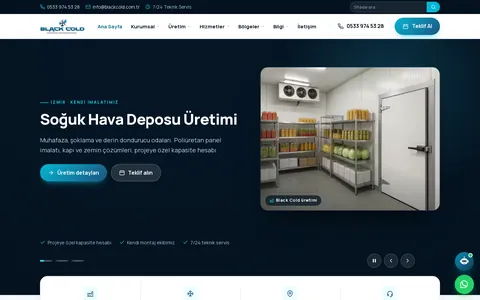
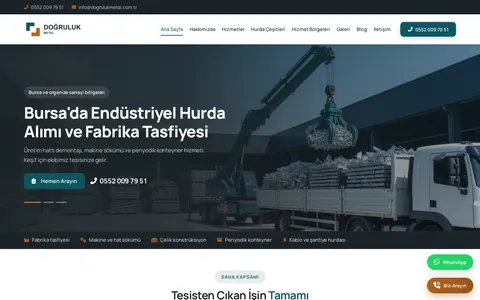
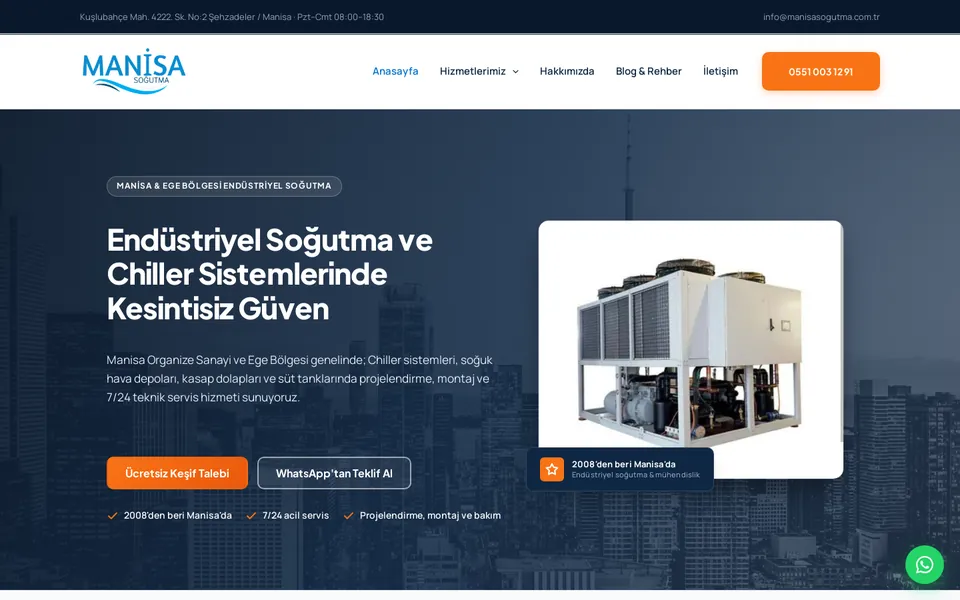
These websites are live. Visit them to explore the work yourself.
All project referencesFAQs
Provide product codes, names, category relationships, specifications, and current documents. Use consistent units and identify public fields. We confirm the model with real examples before planning a larger import.
Yes. Recipients and required fields can vary by request type, and product inquiries can retain product identity. Backup recipients, permissions, and retention follow your processes; a single shared inbox is not mandatory.
Depending on width, we use scrolling, grouped specifications, or a suitable summary. Units and column relationships must remain clear. We review actual data rather than applying one collapse behavior to every table.
Simple document access differs from distributor ordering. Role-based prices, stock, approvals, or accounting connections need separate business rules. The content structure can be reused, but transaction screens and security are planned independently.
Incorrect DNS changes can, so we review email records first. Web and email providers do not have to be the same. The launch plan checks mail records and form authentication separately.
Start with distinct customer needs and service boundaries. Avoid duplicating one service with minor wording changes. Consider SEO services for query analysis and Google Ads management for paid acquisition.
We inventory existing file URLs and plan replacements or redirects where appropriate. Changed content needs clear version information; silently replacing a technical document at the same URL can confuse customers.
Your team names the person responsible for each page or catalog record, and we collect feedback in a shared list. Technical and visual approval may have different owners. Online presentations and recorded decisions keep the process clear; delivery depends on completed approvals.
Think it through with us
Accessible, measurable web interfaces shaped around the content people need.
View detailsSEO that considers crawling, search intent, and conversion data together.
View detailsCRM, ERP, SaaS, and distributor portals built around your business rules.
View detailsBlog
Define your online store’s products, orders, and returns from the outset.
Compare sales channels by contribution margin, customer relationships, and inventory.
Make data flows between payments, warehouses, and shipping traceable.
Get a quote
Let's clarify your needs