

Ecommerce Website Development: A Sales-Ready Foundation
Define your online store’s products, orders, and returns from the outset.
iOS and Android apps
Mobile app development starts with the task someone needs to complete on a phone. For companies in Ireland and the EU, as well as the UK and US, HazırSoft develops Flutter-based iOS and Android apps with connectivity loss, permissions, server validation, and older client versions considered alongside screens. The way an order, booking, or field task continues in real conditions defines the scope. Remote development and delivery from Turkey are also available to teams across the country and businesses building products for Russia and the CIS. We review test releases in task-focused meetings held in English or Turkish. We separate app store account responsibilities from the target country's publication requirements at the start of the project.
Service scope
We assess iPhone and iPad scope, permissions, and lifecycle events alongside Apple distribution requirements.
View detailsTogether with your team, we define keyboard, back navigation, screen sizes, and network scenarios for supported Android versions.
View detailsManage shared code with platform plugins and device tests, reviewing update effects on both iOS and Android.
View detailsWe connect cart freshness, server-side pricing, and payment return behavior to your store’s existing flow.
View detailsWe show availability, temporary holds, expiry, and confirmed bookings as distinct states.
View detailsTogether with your team, we plan local records, upload queues, and conflicts for work orders, barcodes, and photos.
View detailsWe review browser capabilities on target devices before defining home-screen access, caching, and offline tasks.
View detailsWe document authorized mobile operations, error responses, and older-version support in the API contract.
View detailsWe match account verification, signing, privacy disclosures, and review feedback to actual app behavior.
For companies in Ireland and the EU, mobile app development separates shared design from platform behavior. Flutter supports a shared codebase for iOS and Android, but notifications, back navigation, keyboards, file selection, and background work still need platform-specific review. Real tasks guide technology choices. We document the different requirements of scanning and a persistent Bluetooth connection. An available plugin does not prove the required behavior on target devices.
Swift and Kotlin development may suit hardware-intensive projects; Flutter can also include platform-specific code where needed. We explain the maintenance impact alongside OS changes and plugin dependencies. Acceptance covers the agreed device range beyond the prototype phone. Together with your team, we agree versions, phone and tablet scope, orientation, and accessibility requirements early.
Buttons should remain usable with larger text, screen readers need a logical field order, and tasks must remain possible with the keyboard open. Weak connections need loading, error, and retry states instead of blank screens. Payment may be interrupted by switching apps or OS termination. Reopening the task must not accidentally create another transaction.
Session duration and sensitive-screen visibility follow the use case. Together with your team, we plan access revocation for lost devices, removal of previous users’ local data after account changes, and renewed permission checks when reopening. Acceptance includes expired sessions and changed permissions, not just successful login. Displayed information and server-authorized operations remain distinct.
A mobile channel does not mean every visitor needs to install an app. If discovery begins with search, use is occasional, and tasks are mainly informational, a responsive website may fit. Regular sessions, device features, and daily field tasks can justify an app. The decision needs a reason for adding installation effort.
A PWA is a browser-delivered web application that can be added to the home screen where supported. Offline access, notifications, and background tasks depend on the browser and OS. Do not assume parity with a store app on every device. Try required tasks on target devices and weigh convenient web distribution against browser limits.
| Area | App store application | PWA |
|---|---|---|
| Distribution | Accounts, signing, and review | Access through a web URL |
| Updates | Older installed versions can remain | Cache refresh needs planning |
| Hardware | Platform permissions apply | Browser capabilities determine access |
Offline support is defined task by task. Reading a catalog and recording a delivery carry different risks. We show last-update time and distinguish local records from server-accepted ones. Together with your team, we decide what happens when products are removed, permissions change, or tasks are reassigned before reconnection. Offline functionality is incomplete without those rules.
Frequency matters too. A one-time task may not justify store accounts and continuing updates. Repeated stock counts or service visits may benefit from cameras and local storage. Together with your team, we choose around the user’s task, not the fashionable technology.
A visible cart must still be validated against current prices. Stock and delivery terms may have changed since the last session. We calculate totals on the server and explain changes. Do not assume the app stays open during payment: reconcile the result with provider verification. The same order can be managed through your ecommerce platform, with app update and error behavior defined separately.
For clinics and car rental businesses, availability is not a confirmed reservation. We explain temporary holds, expiry, and payment results separately. A missing reminder does not invalidate the booking. Cancellation and rescheduling follow business rules shown before users decide.
We link photos, signatures, barcodes, and location to the work record. Together with your team, we decide whether denied location access permits an alternative or blocks the task; continuous employee tracking is not assumed. Photo size and upload order matter on weak connections. Incomplete uploads must not mark tasks complete.
Offline work orders can use a local queue. If the server cancels or reassigns the task, a conflict arises. Together with your team, we define authoritative fields and when human review is needed. Resending a task must not create a second delivery record. Users need to distinguish pending and rejected records.
Internal distribution differs from public store publication. We review current Apple and Google options, account types, and intended users. Training takes place on devices, covering disconnection, changed permissions, and reopened tasks as well as screen names. Operational staff should not mistake pending work for completed work.
Mobile clients use authorized APIs rather than direct database connections. A Laravel and MySQL backend can manage record access and business rules. Together with your team, we plan credential expiry, renewal, and lost-device revocation. Login is not the only security boundary: each operation needs authorization.
Not everyone updates when a new release appears. API changes must account for older clients. Removed fields, renamed states, and new mandatory inputs can break installed versions. Together with your team, we agree supported versions, required-update conditions, and messages. Content updates and app-package updates are different changes.
Notification tokens can change, users sign out, and permissions can be disabled. Opening a notification should recheck access. Sensitive details may need a general lock-screen message instead. We separate operational notifications from marketing. Notification reporting distinguishes sent, delivered, and read states.
Business-specific rules are reviewed through custom software development, and external services through integration services. Website work on our references page can illustrate use cases, but is not presented as evidence of published mobile apps. Mobile acceptance relies on device tasks, permissions, and version-transition results.
Error reporting should avoid unnecessary user data. Crash records, transaction IDs, and versions help locate issues without logging secret session values. Monitoring data practices must match privacy disclosures. Diagnose server and client errors separately; waiting for a network response differs from interface rendering costs.
Our process
We review user flows with your team in prototypes, verify technical behavior on devices, and prepare the app for distribution. Each stage provides distinct evidence for acceptance.
Together with your team, we define core tasks, devices, permissions, and offline expectations. We review APIs and distribution prerequisites, then identify a complete first-release flow.
We review navigation, forms, errors, large text, long content, and open keyboards. We use feedback from daily users to inform design decisions.
We document inputs, response states, and permission boundaries. Together with your team, we define data freshness and older-client support, including relationships with admin operations.
We develop local records, screen states, and plugins. Consider denied camera access, app switching, and process termination within real tasks.
We test sessions, network loss, synchronization, and resubmission across the agreed devices. We use TestFlight and Play tracks and check account isolation.
We deliver under a written contract with invoices, defining source code handover, signing responsibilities, and one year of technical support. We prepare store materials with your team; approval belongs to Apple and Google.
Pricing
The work behind screens matters more than screen count. We assess the following factors when preparing your proposal:
iOS, Android, or both; shared Flutter code or native development. Separate native applications require additional implementation and maintenance work.
Accounts, payments, maps, messaging, live tracking, and push notifications differ in complexity. A focused initial release can reduce the starting investment.
A simple interface with standard components differs from fully branded UI/UX with custom illustrations and animation.
Connecting an existing API differs from building a dashboard, database, and API. A new backend is a software project in its own right.
Payments, SMS verification, shipping, ERP, and accounting each have documentation and testing requirements that affect delivery.
Post-release maintenance and provider costs such as developer accounts, hosting, SMS, and maps are itemized separately.
For a firm quote: <a href="https://www.hazirsoft.com/en/request-a-quote">Share your users, core tasks, existing API, and offline requirements</a>. We will define the mobile scope around device behavior and distribution.
Get a Free QuotePortfolio
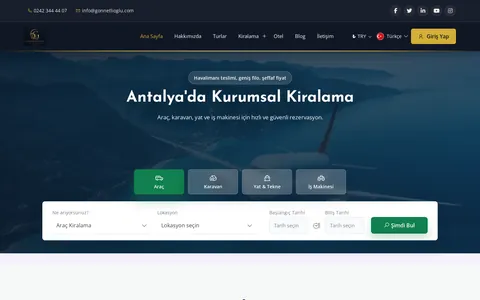
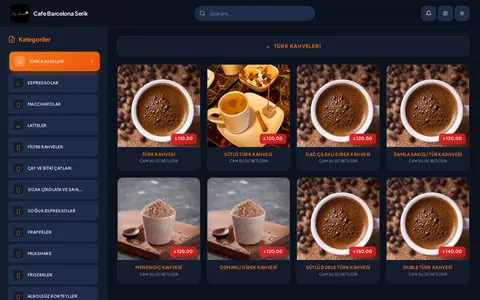
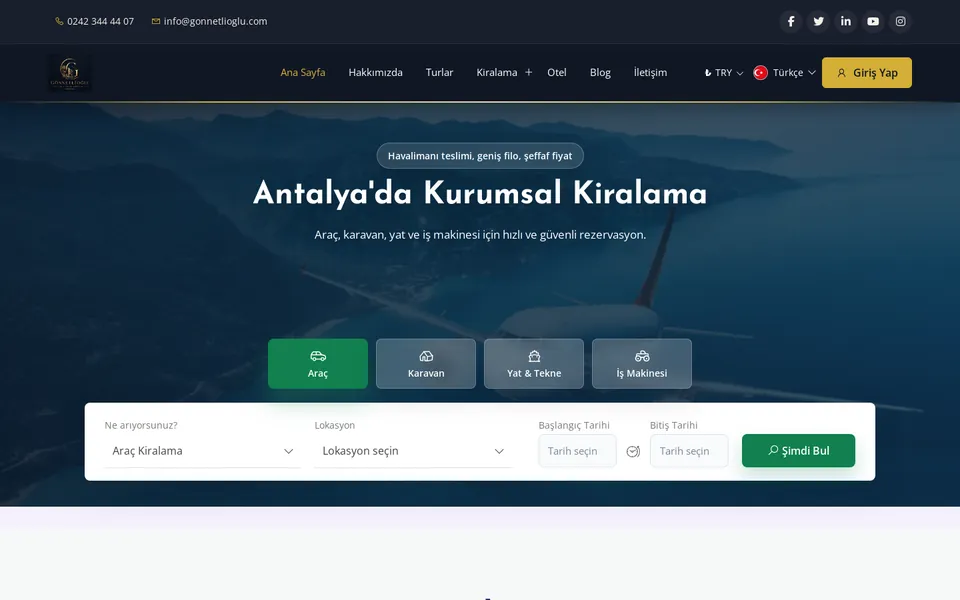
These websites are live. Visit them to explore the work yourself.
All project referencesFAQs
Decide per task. Cached catalogs may remain readable, while orders requiring current stock may not be confirmed. Local records appear as pending until the server accepts them and applies conflict rules.
We explain permissions when a task needs them and provide an alternative where possible. If a task requires access, the app explains why it cannot continue and rechecks after settings change. Requests are limited to necessary permissions.
We help associate accounts with your business. Verification and documents follow Apple and Google requirements. Privacy and data safety declarations reflect actual behavior. Review timing and approval are not guaranteed.
Server-synchronized records can be retrieved subject to account permissions. Unsent local data is different and needs a device-loss and backup policy. General device backups may not be suitable for sensitive information.
Review existing APIs, sessions, and data models. Expose mobile operations through secure endpoints, not direct database access. Validate price and stock on the server. Shared sources do not mean all screens update instantly.
Assess API changes against the support range. New mandatory fields may require migration. Define update requirements and messages. Store publication and backend deployment remain separate steps.
Try core tasks on target devices. Assess startup, scrolling, photo processing, and network waits separately. Hardware-intensive areas may need platform code. We do not promise one speed or identical behavior on all devices.
Think it through with us
CRM, ERP, SaaS, and distributor portals built around your business rules.
View detailsOnline stores with consistent business rules from catalog browsing to returns.
View detailsVerifiable order, inventory, document, and payment flows between systems.
View detailsBlog
Define your online store’s products, orders, and returns from the outset.
Compare sales channels by contribution margin, customer relationships, and inventory.
Make data flows between payments, warehouses, and shipping traceable.
Get a quote
Let's clarify your needs